

Inscription à l’évaluation linguistique
Le Centre d’évaluation des langues du CCNB offre des évaluations linguistiques (Anglais et Français).
Vous pouvez vous inscrire dès maintenant avec l’application iCent téléchargeable gratuitement!

Language Assessment Registration
The CCNB Language Assessment Centre offers French and English assessments.
You can register now with the free downloadable iCent app!
Étapes d’inscription- Registration Steps
Étape 1 / Step 1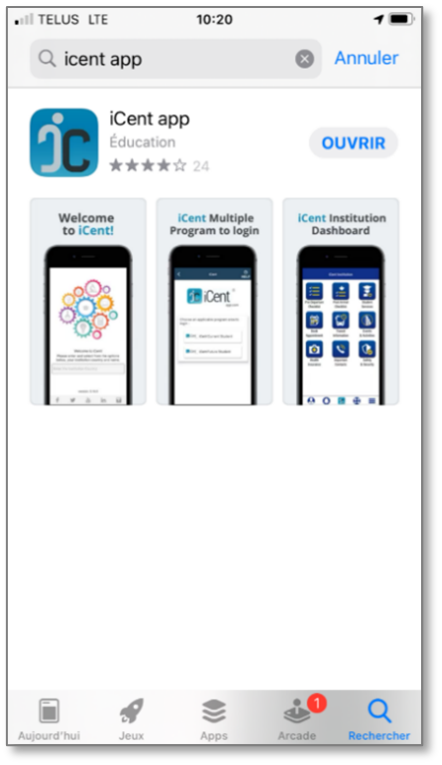
FR : Ouvrez Google Play ou Apple Store, recherchez « iCent » et installez l’application.
EN : Open Google Play or Apple Store. Search for “iCent” and install the app.
You can also use the web app:
web.icentapp
Vous pouvez également utiliser l’application web
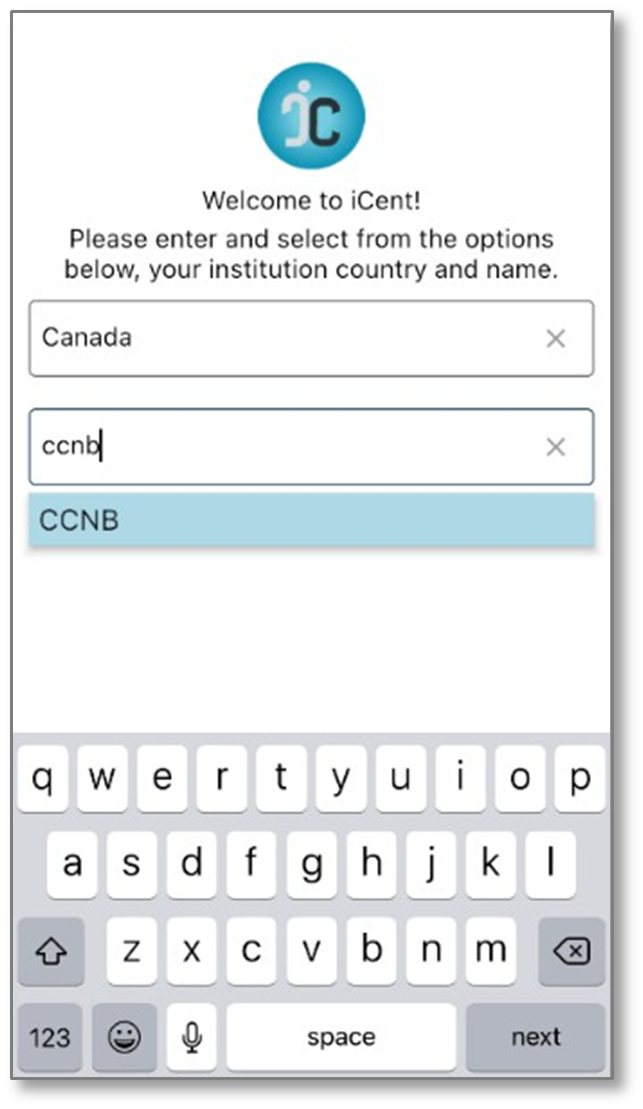
Étape 2 / Step 2
FR : Saisissez « Canada » dans la case pays et « CCNB » comme institution.
EN : Type “Canada” as country and “CCNB” as institution.
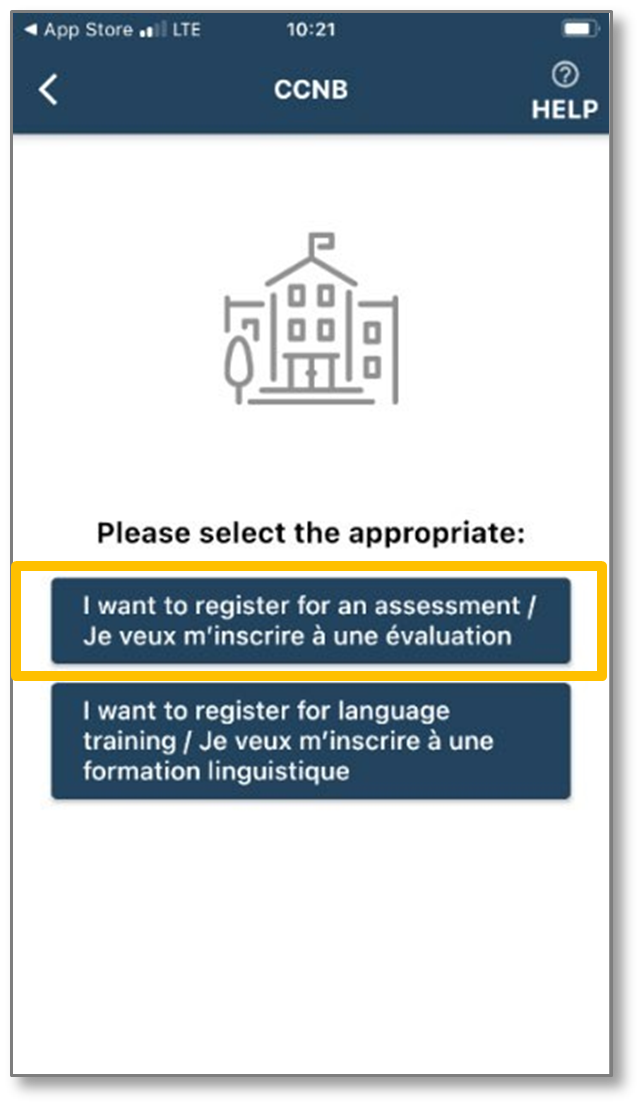
Étape 3 / Step 3
FR : Choisissez l’option « Je veux m’inscrire à une évaluation ».
EN : Select “I want to register for an assessment”.
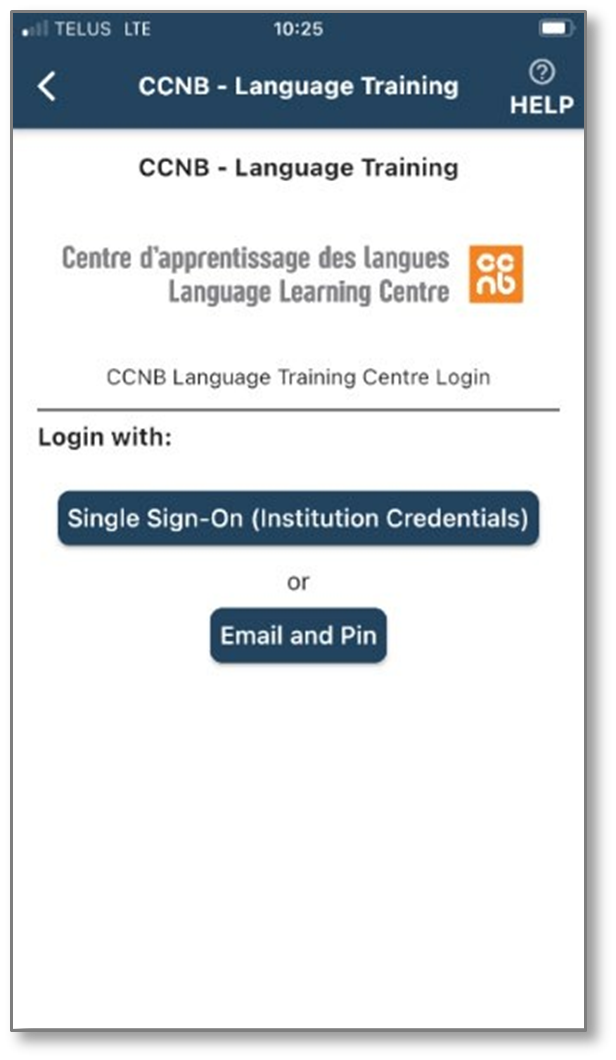
Étape 4 / Step 4
FR : Choisissez « Login with your email & PIN ».
EN : Select “Login with your email & PIN”
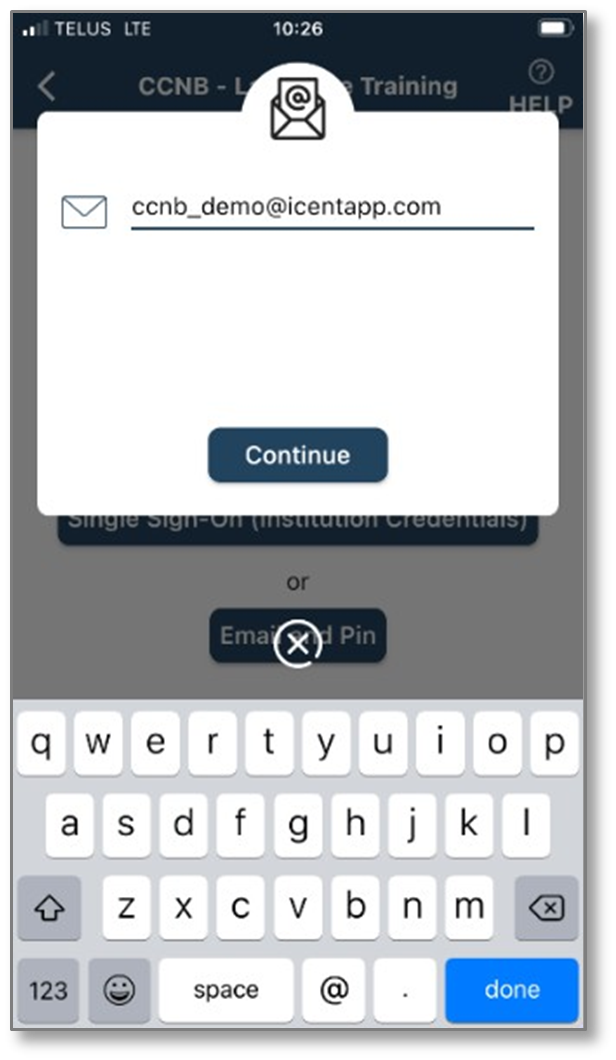
Étape 5 / Step 5
FR : Saisissez votre courriel.
EN : Type your email
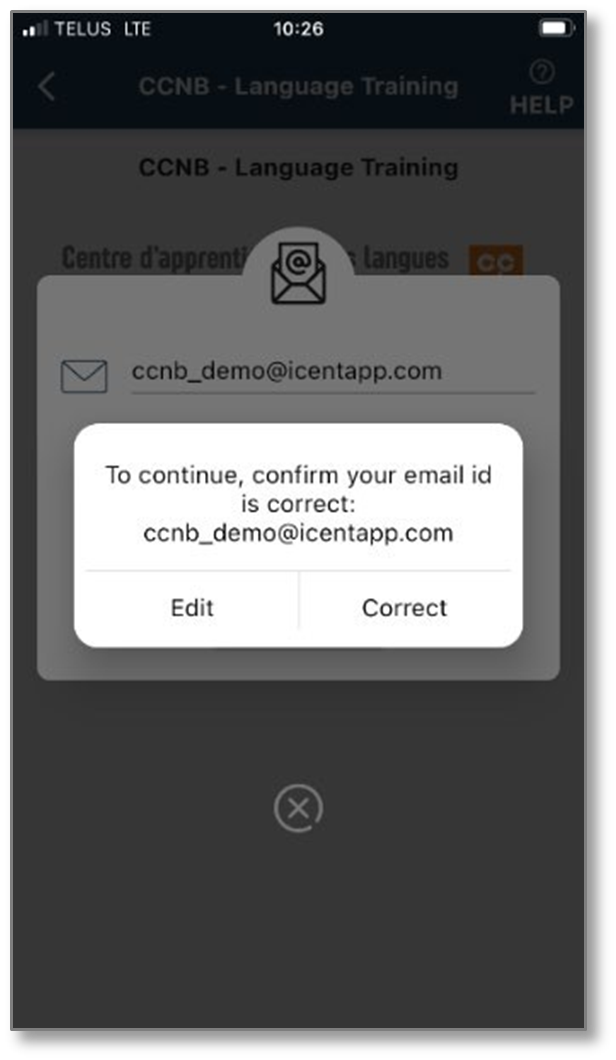
Étape 6 / Step 6
FR : Confirmez votre courriel
En: Confirm your email.
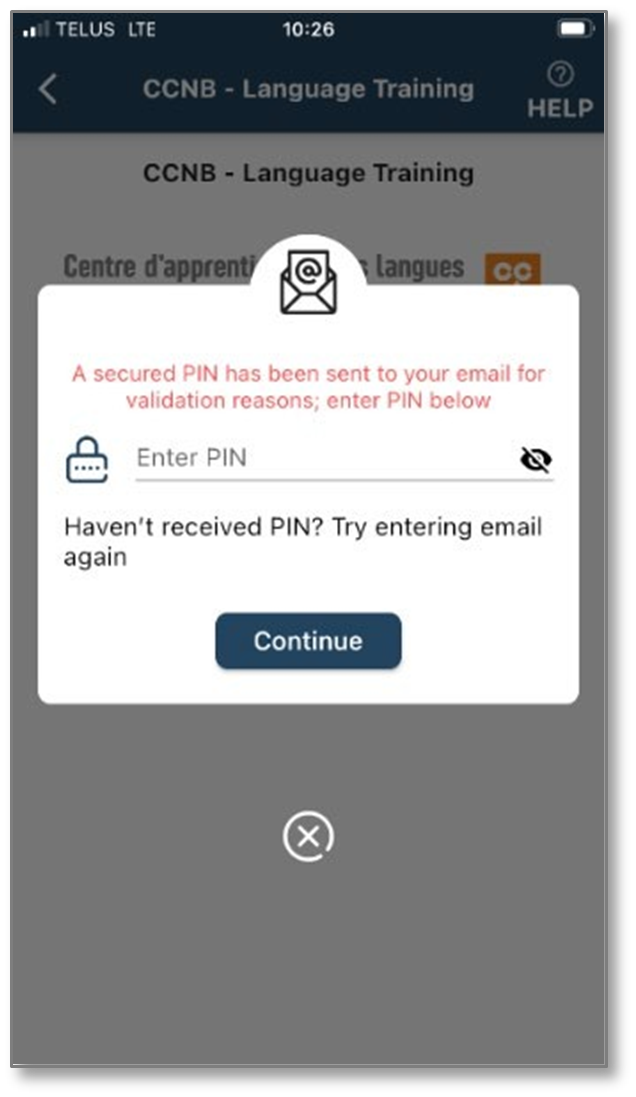
Étape 7 / Step 7
FR : Saisissez votre NIP.
EN : Enter your PIN.
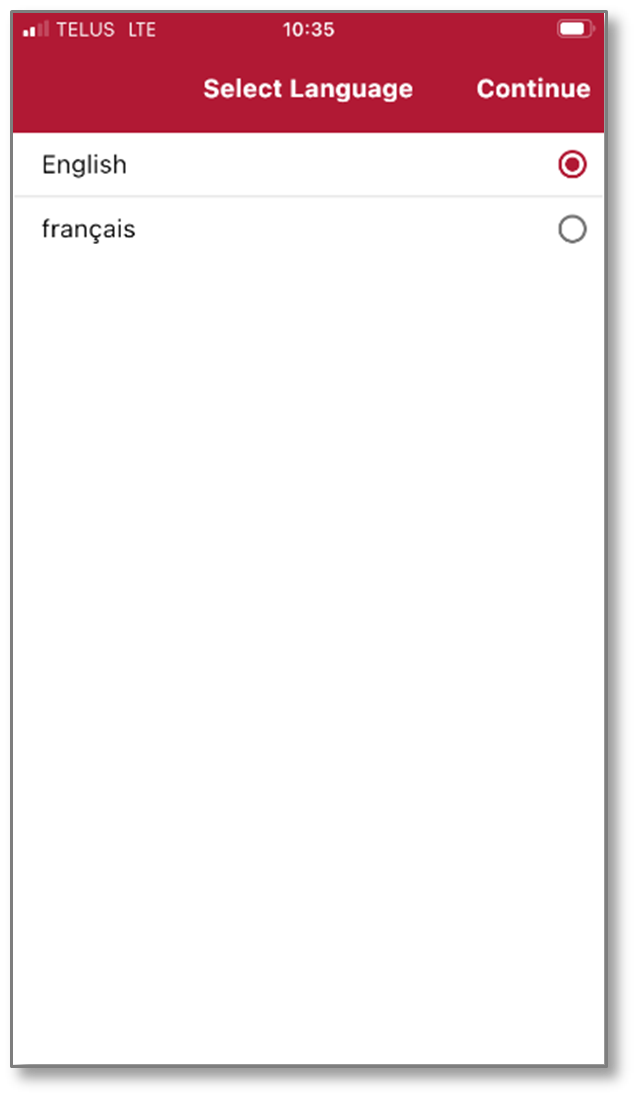
Étape 8 / Step 8
FR : Choisissez la langue d’affichage de l’application.
EN : Select app display language.
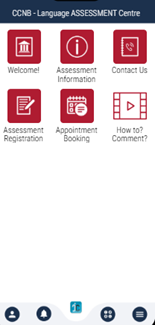
Étape 9 / Step 9
FR : Sélectionnez l’icône « Inscription évaluation » pour vous inscrire.
EN : Select “Assessment Registration” to register.

languageassessments@ccnb.ca

